
Build your workflow templates
Workflow templates define the steps your techs follow at every pool.
It’s one grid
Tasks down the side, service levels across the top, a switch at every crossing. You can see in one screen that “Vacuum Pool Floor” is on for Full Service and off for Chemical Only.
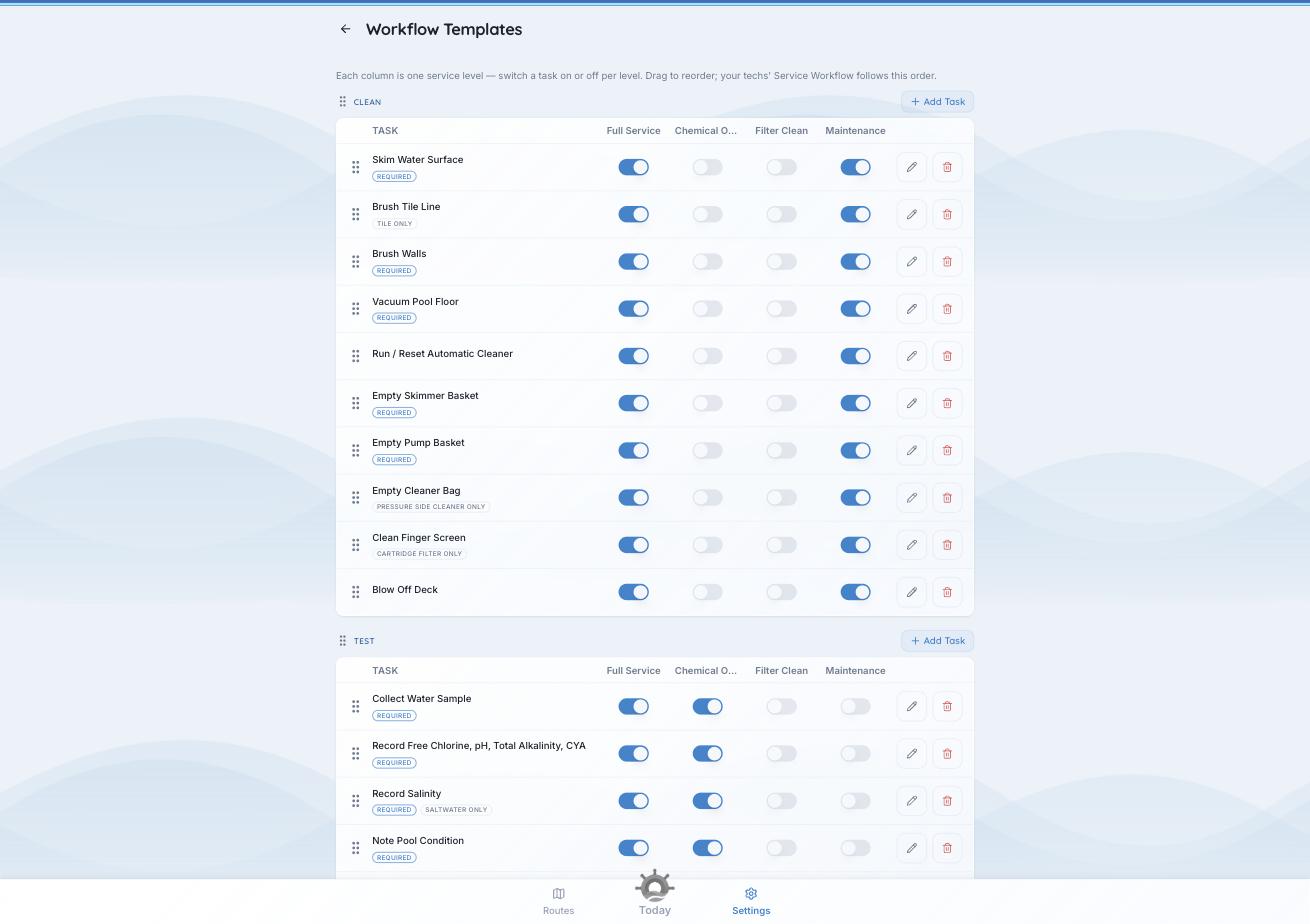
Tasks down the side, service levels across the top, a switch at every crossing.
The six phases
- Arrive — check in. An arrival photo is required. No task list.
- Clean — skimming, brushing, vacuuming, baskets.
- Test — readings and pool condition.
- Treat — adding chemicals. No checklist, on purpose: what gets added comes from the readings and your dosing formulas.
- Equipment — filter pressure, autofill, equipment checks.
- Finish — a departure photo is required to complete the visit. No task list.
Arrive and Finish are always first and last. Drag the middle phases to reorder them at Settings → Workflow Templates. Your techs’ visits follow that order.
Editing the grid
- Add Task on any phase header.
- Switch it on for the service levels it applies to.
- Drag to reorder within a phase.
- Edit or delete from the icons at the end of the row.
Task badges
- REQUIRED — must be done before the visit moves on.
- Conditional — TILE ONLY, SALTWATER ONLY, AUTOFILL ONLY, CARTRIDGE FILTER ONLY, PRESSURE SIDE CLEANER ONLY. The task only appears at pools with that equipment.
Worth knowing. Switching a phase off for a service level switches off every task inside it. Turn Clean off for Chemical Only and all the cleaning tasks go with it. One decision instead of twenty.