
Why is a customer "inactive"?
Something PoolHelm needs is missing — usually the address or the pool specs — or you switched them off. The Customers page has a tab for each of the three states.
- Active — on your book, routable, billable.
- Ready — everything PoolHelm needs is there, waiting for you to say go.
- Inactive — something is missing, or you switched them off.
Nothing switches itself on
Completing a customer’s details doesn’t put them on your routes — it moves them to Ready. You decide when they go live. Importing two hundred customers shouldn’t silently commit you to servicing two hundred pools next Tuesday.
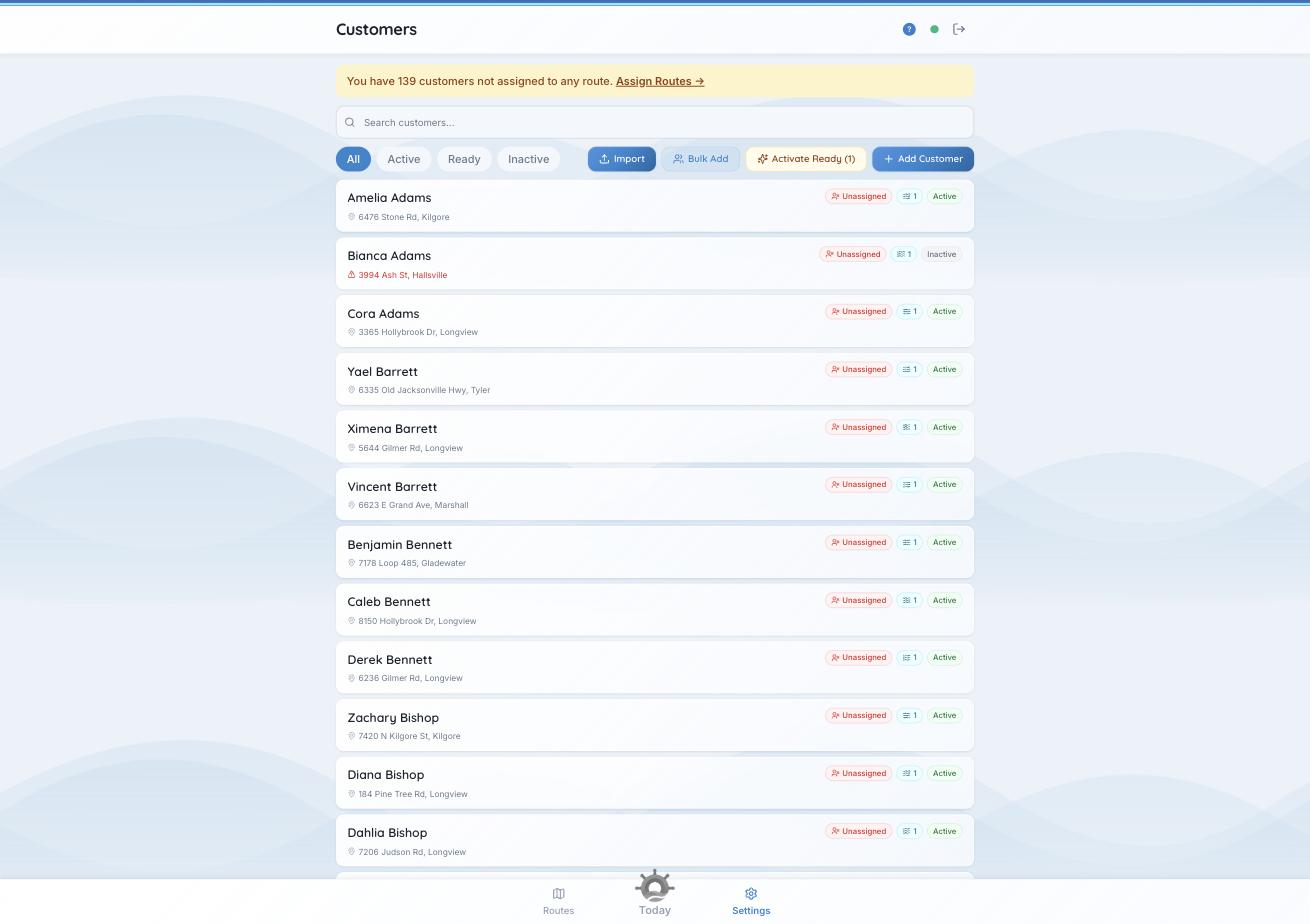
The Ready tab, and the button that switches on everyone waiting in it.
The three checks
Open an inactive customer and choose “Why is this customer inactive?” You get a tick or a cross against each:
- All required customer fields complete.
- At least one property with a verified address.
- That property has at least one pool with all required specs set.
When all three pass: “Ready to activate. Use the Active toggle above to turn this customer on.”
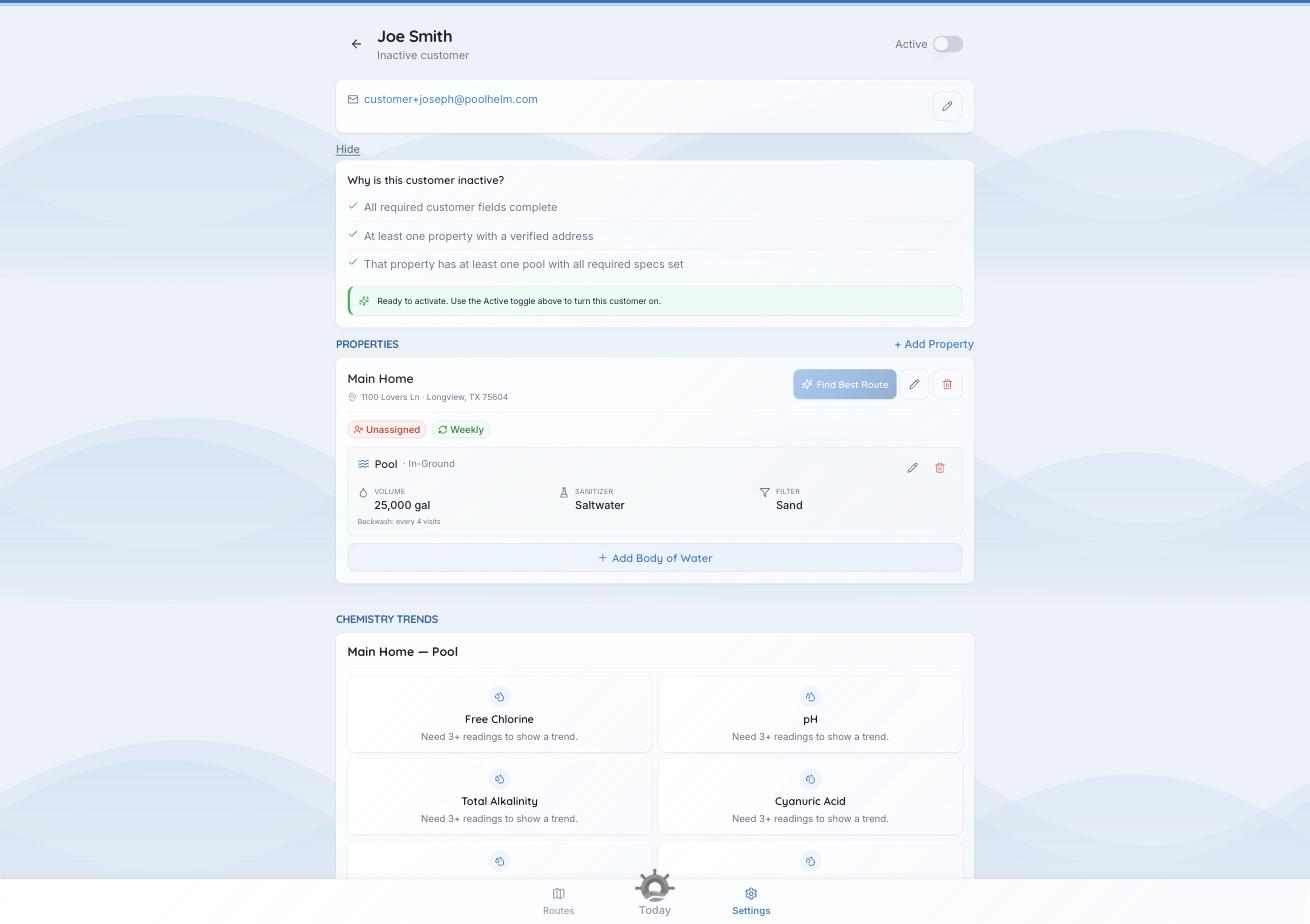
Three checks, and the app tells you which one is failing.
Switching them on
- One customer — flip the Active toggle at the top of their page.
- Everyone who’s ready — use Activate Ready (12) on the Customers page. It turns on every customer that passes all three checks, which is what you want after an import.
Fixing the two that usually fail
- The address. Open the property and re-enter it from the suggestions until it verifies. Unverified addresses show in red with a warning triangle on the customer list. PoolHelm won’t route an address it can’t place with confidence.
- The pool details. Open each pool and fill in the required specs.
A property usually needs a service level too. Without one a visit has an empty checklist, so PoolHelm asks for one before it will save a new property. Two exceptions, and they explain most of the properties you’ll find without one:
- If every service level you sell is one-time, the picker has nothing recurring to offer, and the property saves without one.
- A property that already has no service level stays editable, so you’re never locked out of fixing a gate code.
Your Today page counts the stuck ones under “Setup isn’t finished”: “11 addresses have not verified, so those customers cannot go active.”
See also: “What do the address ratings mean?”