
Start your routes over
Go to Settings → Data Management → Clear route assignments. The page describes it in one line: “Unassign every customer and wipe the route plan, so you can build your routes again from scratch. Useful after a trial run or an import you weren’t ready to service.”
You see the damage first
Above the button is a live count: “139 customers assigned · 24 scheduled days to remove · 12 routes to remove.” With nothing to clear, the button is switched off and says so.
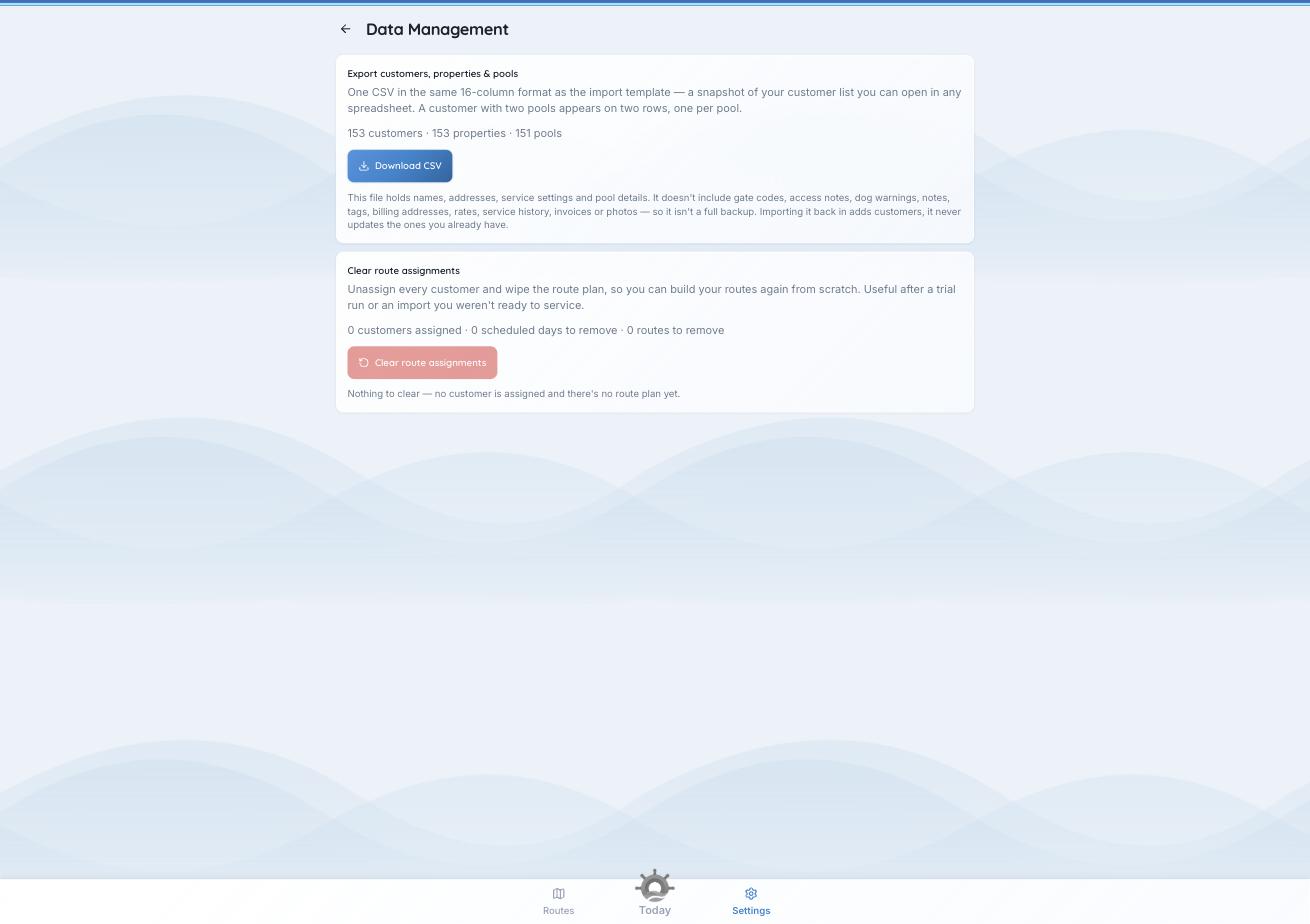
The counts tell you what you’re about to spend before you spend it.
What it removes
- Every customer’s technician assignment and preferred day.
- The scheduled days, and the route plan built from them.
What it keeps
- Every completed visit. Service records, readings, chemicals added, tasks, photos, and the reports your customers got.
- Every customer, property and pool, with all their details.
- Every invoice and payment.
A day that has already been serviced stays. If a route or a scheduled day has completed work attached, PoolHelm keeps it rather than delete your history. A route surviving the wipe is correct, not a failed clear.
Afterwards
Every customer is unassigned. Run Build Best Routes to rebuild the week, or assign people by hand from the Planner’s Unassigned list. Owners and managers only.
You can't undo this. There is no "restore the old plan" button. That is what the counts preview is for.
See also: “How PoolHelm builds your routes.”