
How chemicals are billed
Chemicals your tech takes off your truck are added to the customer’s invoice on top of the visit rate, priced at what the product cost you plus whatever markup you set on it. Chemicals the customer supplied are never billed, either way.
The switch that governs it
Bill Chemicals Separately, under Settings → Organization. It arrives switched on. The page states the rule in full: “Chemicals you supplied are added to the invoice on top of the visit rate, priced at your cost plus each product’s markup. Turn this off to include them in the visit rate. Chemicals the customer supplied are never billed either way.”
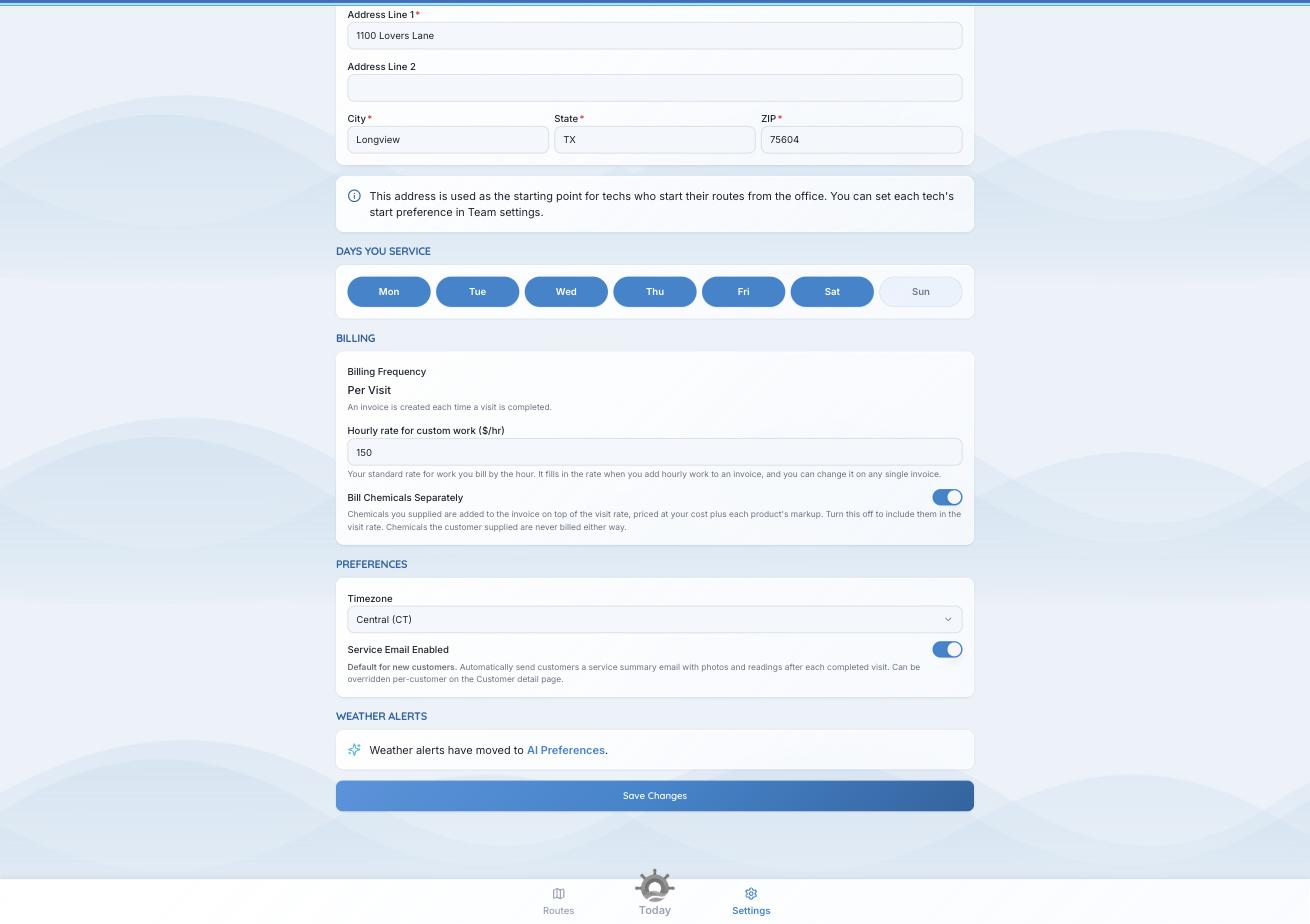
The three billing settings that decide what lands on an invoice.
Turn it off to fold chemical cost into your visit rate. PoolHelm still records what every dose cost you, so your margin is a real figure either way.
Where the price comes from
Each product in Settings → Chemical Products carries your cost and a markup. The row shows the result: a green chip like “50% → $7.50/gal” is what the customer pays. An amber BILLS AT COST chip means no markup is set, so the customer pays what you paid.
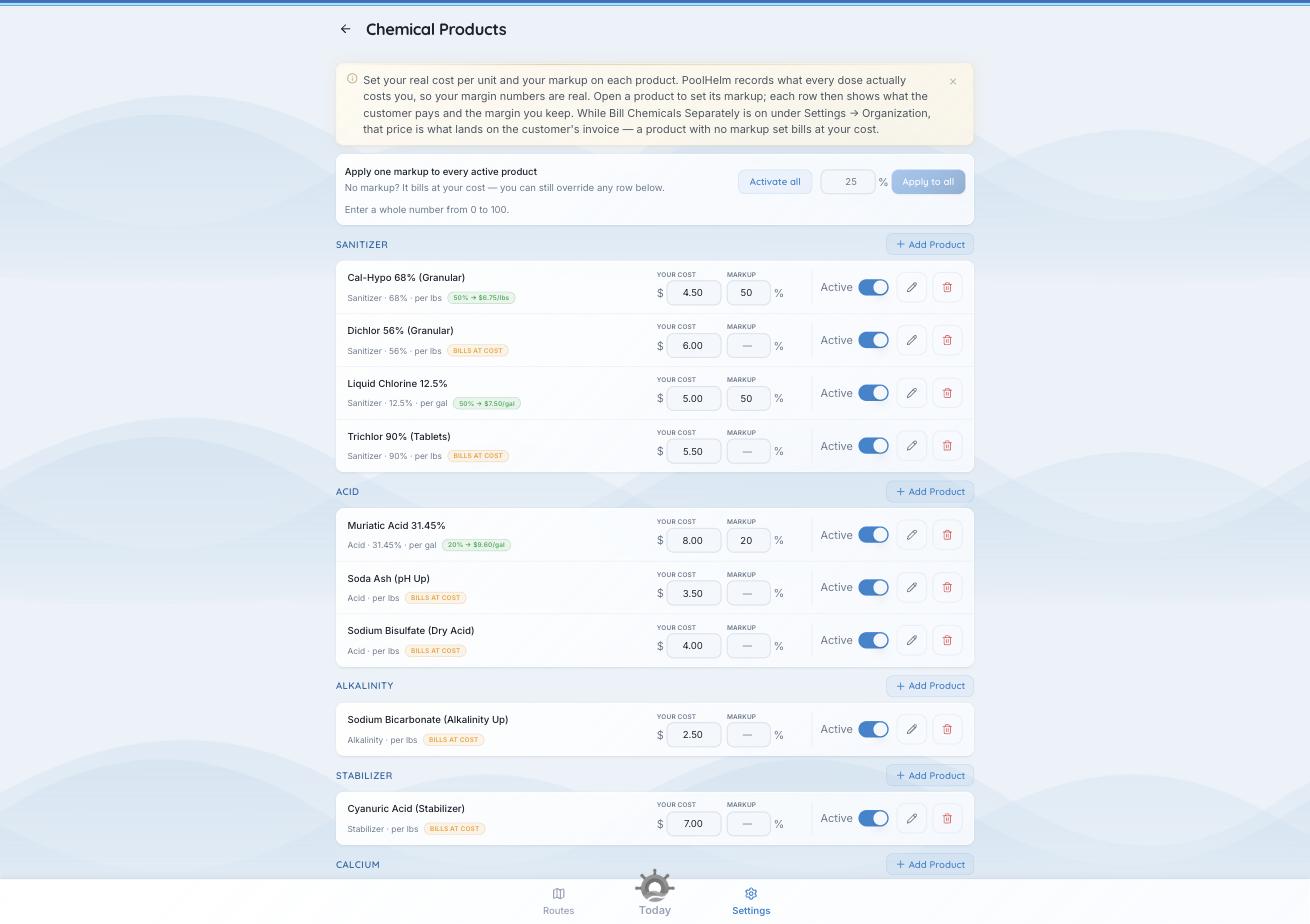
The chip is the fastest way to spot a product going out at cost.
Blank is not the same as zero. A markup you never set reads as BILLS AT COST. A markup set to 0 is a chosen 0% pass-through. PoolHelm keeps the two apart.
Setting cost and markup is covered in “Add the chemicals you carry.”
What your customer sees
A chemical line, named and priced — not your cost, and not your markup percentage. Your service report shows the treatment and the amounts added, without prices.
Check first. When a chemical's unit and cost don't line up — cost per gallon, dose in ounces, no way to convert — PoolHelm records no cost for that dose rather than guessing. It says so on the product and in your morning briefing: "Liquid Chlorine 12.5% not billing correctly — 3 doses went unbilled in 14 days — fix unit/cost in the catalogue". Fix the unit or the cost.
See also: “Add the chemicals you carry” in Getting Started.